 FR
FRMobile-money deposits are reported as instant after provider approval, but delays can occur. Withdrawals may require identity and payment checks. Review the limits, fees and available balance before confirming a transaction; a payment estimate is not a guaranteed completion time.
Overview of Betwinner Payment Options
The cashier displays payment routes for the account’s country, currency and current provider availability. Local mobile money is a key option for XOF payments. Deposits and withdrawals have separate lists, and a deposit option may not support payouts. Verification, bonus conditions and the method previously used to deposit can affect a withdrawal request.
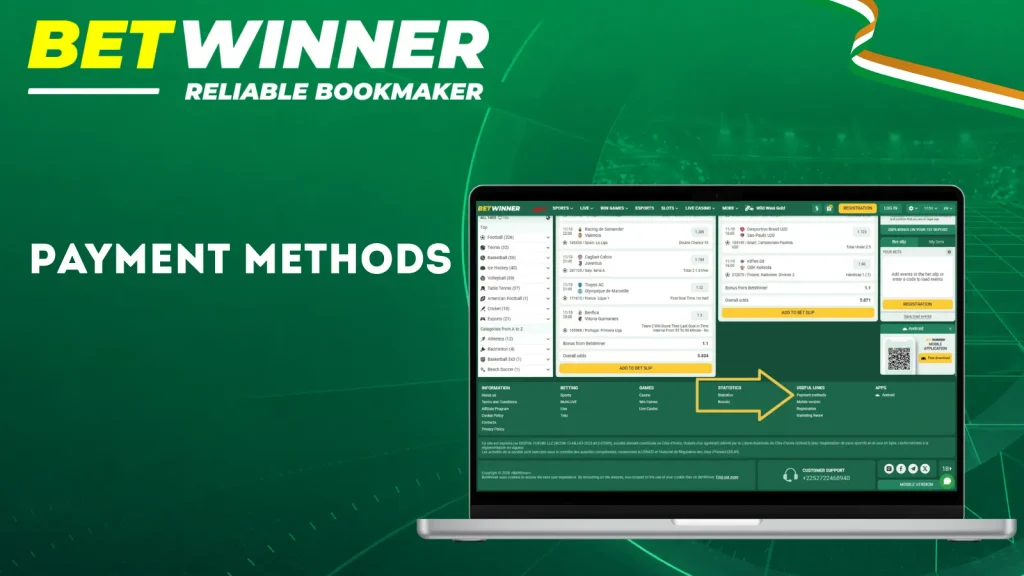
The payment interface routes requests according to regional processor availability. A method can disappear temporarily if its provider suspends processing or account parameters change.
Available Currencies and Regional Settings
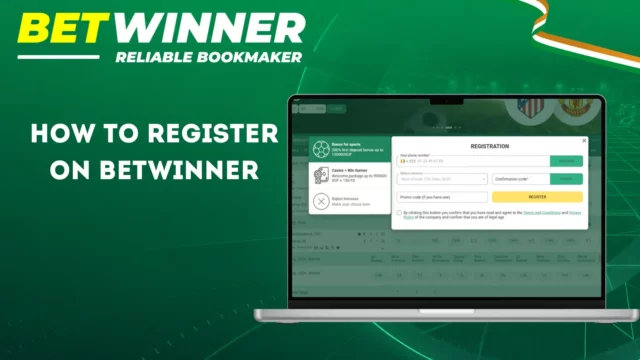
Registration by phone only. As the country (Côte d’Ivoire) and account currency (XOF) are predefined, enter your mobile number with the +225 prefix and confirm it using the code received via SMS. Provide accurate information, ensure you are of legal age, and accept the terms and conditions. XOF allows you to avoid unnecessary conversions when the payment provider also settles in CFA francs.
Your local account’s country and currency are set automatically. These settings are final: they cannot be changed during or after registration; contact support if necessary. A payment made via an international gateway may incur conversion fees from your bank or the provider.
| Currency | When to use | Conversion notes |
|---|---|---|
| XOF / FCFA | local mobile payments | No conversion: settlements directly in CFA francs to your account. |
| USD | International methods (e.g., wallets like Astropay) | Your bank or the provider will convert USD to XOF. The issuer’s exchange rate applies. |
| EUR | Bank cards (Visa/Mastercard) and wallets (e.g., MoneyGO) | Your bank or the provider will convert EUR to XOF. The issuer’s exchange rate applies. |
Before confirming a payment:
- Check the displayed currency before each confirmation.
- Exchange rates offered by providers may differ from market reference rates.
- Check conversion fees before approving the transaction.
- Your account currency remains fixed (XOF): contact customer support for any questions regarding conversions.
Can I use XOF on Betwinner?
Yes. XOF is the fixed currency of your account and local mobile payments. Always check the final currency displayed at checkout before validating.
Main Payment Types
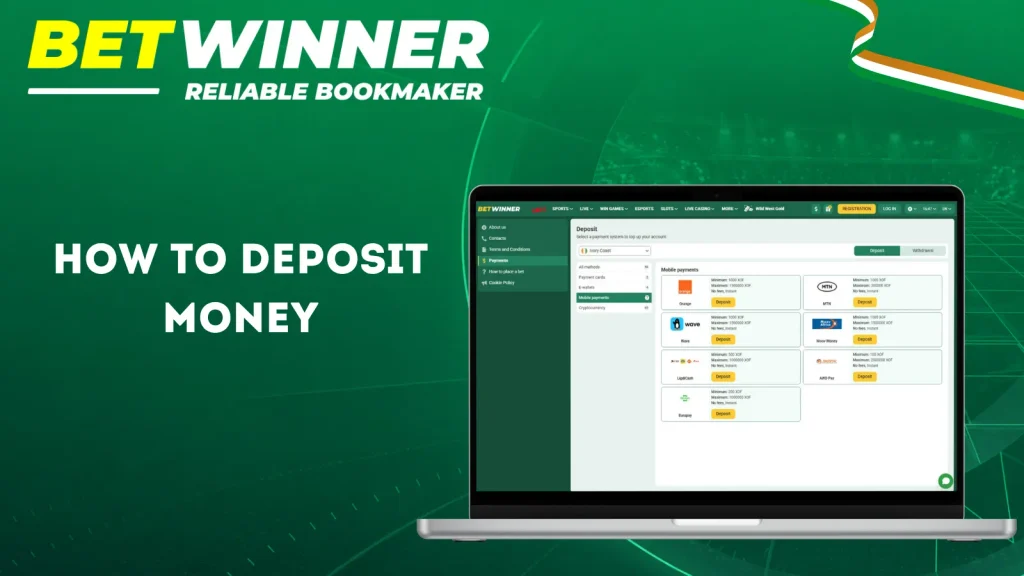
Local mobile-money methods include Orange Money, MTN Mobile Money, Wave and Moov Money. Compare the displayed limits, fees and withdrawal options before choosing a route.
Transaction Details: Limits, Fees and Processing Times
The minimum deposit is 1000 XOF. Check the applicable transaction limits in the cashier and review the active sports welcome-bonus terms before depositing, as bonus eligibility may involve additional conditions.
Bank schedules, verification and payment review can extend processing. A pending status means the request is still being processed. A completed status in the account does not replace confirmation that the receiving wallet or bank has credited the funds.
How to Deposit Money into Your Betwinner Account
Create the local account by phone and confirm the +225 mobile number by SMS before signing in. Use accurate details and a payment account in your own name. Open the cashier after login to see the available deposit methods and their limits.
Before depositing:
- Please confirm that Côte d’Ivoire is the country where the account is registered.
- Verify that the account currency is XOF when local settlement is preferred.
- Confirm the registered mobile phone number and ensure it is accessible.
- Select a payment method registered in your name.
- Please check the indicated minimum and maximum values before confirmation.
Follow the payment provider’s confirmation instructions. If a session expires or a debit is still pending, check the provider receipt and account history before submitting another payment.
Finding the Deposit Section
On the desktop, log in and open the account balance or cashier menu. Select Deposit. The page loads the payment systems available for the registered country and selected currency. Limits are displayed after choosing a method.
On mobile, open the account or wallet area after login. Tap Deposit or the equivalent cashier option. The mobile page uses the same regional payment logic.
- Find the account balance or wallet menu.
- Open the Deposit option.
- Review the available local payment methods.
- Check the amount fields and displayed limits.
- Review the provider’s confirmation screen before approving.
| English label | French label |
|---|---|
| Deposit | Dépôt |
Choosing the Right Deposit Method
Choose a route by checking currency, fees, limits, verification and whether it supports withdrawals. Local mobile money can reduce conversion costs for XOF accounts.
Decision checklist:
- Check whether the same method supports withdrawals.
- Compare the displayed XOF minimum and maximum.
- Review provider fees before approval.
- Confirm that the payment account belongs to you.
| User need | Suitable method | Why |
|---|---|---|
| Local XOF payment | Orange Money, MTN Mobile Money, Wave or Moov Money | Direct mobile-money route |
Step-by-Step Guide to Making a Deposit
-
Log in to your Betwinner account and open the Deposit section.
-
Select Orange Money, MTN Mobile Money, Wave or Moov Money from the available options.
-
Enter the deposit amount in XOF and check the displayed limits and fees.
-
Provide the mobile-money number and any other requested payment details.
-
Follow the instructions to authorise the payment through your mobile-money service.
-
Check your Betwinner balance and transaction history to confirm the deposit.
Deposit Processing Speed and Fees
Deposits through Orange Money, MTN Mobile Money, Wave and Moov Money are reported as instant after payment approval, with a reported Betwinner fee of 0%. Processing delays remain possible. Check the cashier and your mobile-money payment confirmation for any applicable charges before authorising a deposit.
For other payment methods, deposit times depend on card approval, wallet processing or network confirmations. Review the displayed fees and expected processing time for the selected method.
How to Withdraw Money from Your Betwinner Account
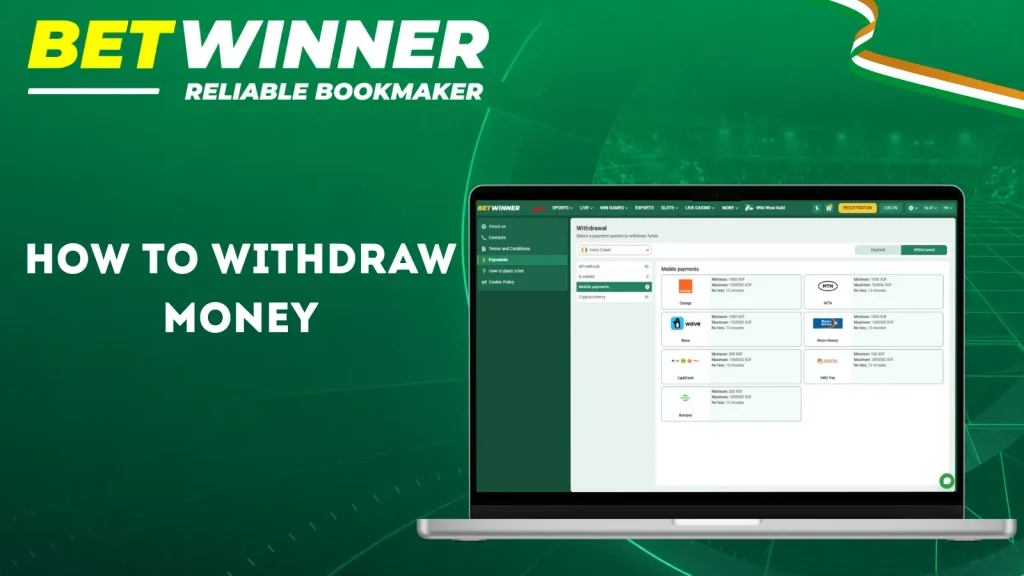
You can make a withdrawal notably via Orange Money, MTN Mobile Money, Wave, or Moov Money, available in the “Withdrawals” section of your account. Winnings are paid out via the method used for the deposit, in accordance with the rules applicable to your account. Withdrawal requests may require identity verification, verification of the payment method holder, and compliance with bonus terms.
Before requesting a withdrawal:
- Complete any requested identity verification.
- Make sure the amount is available for withdrawal.
- Use a mobile-money wallet registered in your own name.
- Check the minimum, maximum and any displayed fees.
- Keep your payment receipts and transaction references.
To withdraw your money:
- Log in and open the Withdrawal section.
- Select the available mobile-money method used for your deposit.
- Enter the amount in XOF and the requested wallet details.
- Check the information and confirm your request.
- Follow any confirmation instructions and track the request in your transaction history.
Finding the Withdrawal Section
Desktop users can open the account dropdown and select Withdraw funds. Mobile users should open the balance, wallet, or cashier menu and choose the withdrawal option. The available methods load after login.
- Log in.
- Open the cashier or wallet.
- Select Withdraw funds.
- Choose an available payout route.
- Enter the required payment details.
- Confirm the amount.
- Complete any security verification.
- Track the request in payment history.
| Area | Purpose |
|---|---|
| Transaction history | Shows completed and previous transfers |
| Pending withdrawals | Shows requests still under processing |
Available Withdrawal Methods in Ivory Coast
Local mobile-money withdrawal options include Orange Money, MTN Mobile Money, Wave and Moov Money. Select a method displayed in your account’s Withdrawal section and use a wallet registered in your own name. Winnings are paid through the method used for the deposit, subject to the applicable account rules.
Check the current withdrawal minimum, maximum and any fees before submitting a request. A method’s availability for deposits does not automatically confirm that it supports withdrawals.
Step-by-Step Guide to Requesting a Withdrawal
-
Log in to your Betwinner account and open the Withdrawal section.
-
Choose a payment method, for example Orange Money, MTN Mobile Money, Wave, or Moov Money. Use the same payment method as the one used for your deposit, in accordance with the rules applicable to your account.
-
Enter an amount in XOF within the displayed withdrawal limits.
-
Provide the requested mobile-money phone number and wallet details.
-
Check that the receiving wallet belongs to you and that all details are correct.
-
Review any displayed fees and confirm the withdrawal request.
-
Complete any identity or payment verification requested.
-
Save the transaction reference.
-
Monitor the request in your payment history.
For example, a withdrawal request of 25,000 XOF through Orange Money, MTN Mobile Money, Wave or Moov Money will show the transaction date, selected method, requested amount and any applicable fee displayed in the cashier. Track its status in your payment history, where it may appear as Pending or Completed.
Example withdrawal request
 Withdrawal · Orange Money
25,000 XOF
Pending
Withdrawal · Orange Money
25,000 XOF
Pending
- Payment method
- Orange Money
- Amount requested
- 25,000 XOF
- Applicable fee
- Shown before confirmation
- Status tracking
- Payment history
- Request sent XOF amount and wallet checked before confirming.
- Pending The request is still being processed.
- Completed Also check that your mobile-money wallet has been credited.
Withdrawal Limits and Processing Times
Mobile-money withdrawals are reported at around 15 minutes to 24 hours. This range is an estimate: verification, payment review and provider delays can extend it. Limits and timings for other routes must be checked separately in the cashier. No payment method guarantees a fixed payout deadline.
| Method | Min withdrawal | Maximum | Processing time | Typical exception |
|---|---|---|---|---|
|
Orange Money
|
1000 XOF | 1500000 XOF | Reported 15 minutes–24 hours | Provider review |
 MTN Mobile Money
|
1000 XOF | 500000 XOF | Reported 15 minutes–24 hours | Wallet verification |
 Wave
Wave
|
1000 XOF | 1500000 XOF | Reported 15 minutes–24 hours | Account checks |
Verification, provider review, banking schedules and conversion can extend processing. Check whether displayed limits apply per transaction or over a longer period. Contact support with the transaction reference if a payment remains unresolved.
FAQ
Which Payment Methods Are Available at Betwinner?
Local mobile-money options include Orange Money, MTN Mobile Money, Wave and Moov Money. Use the methods displayed in your account’s cashier and check deposit and withdrawal availability separately.
Does Betwinner Charge Deposit Fees?
Mobile-money deposits are reported to carry a 0% Betwinner fee. Confirm the charge displayed before authorising payment and check your provider’s payment confirmation for any additional costs.
How Long Does a Betwinner Withdrawal Take?
Withdrawals through Orange Money, MTN Mobile Money, Wave and Moov Money are reported to take approximately 15 minutes to 24 hours. Identity checks, payment reviews or provider delays may extend this timeframe. Check the estimate displayed for your request.
Why Is My Preferred Payment Method Not Available?
Payment availability may depend on your account, currency, verification status or the payment provider. Withdrawal options may also depend on the method used for your deposit. If your preferred method is missing, contact support for assistance.
Do I Need to Verify My Betwinner Account Before Withdrawing?
Betwinner may request identity and wallet-ownership verification before processing a withdrawal. Use a mobile-money wallet registered in your own name and provide the documents requested for your account. Verification times vary. For assistance with verification or a pending payment, contact the online consultant or call +2252722468940.