 FR
FRRegister through the local website or its mobile interface. Android users can use the official app, while iPhone users can register through the mobile website. Keep your registered phone number accessible for confirmation and account recovery. Identity and payment-ownership checks may be required before withdrawals.
How to Register on Betwinner
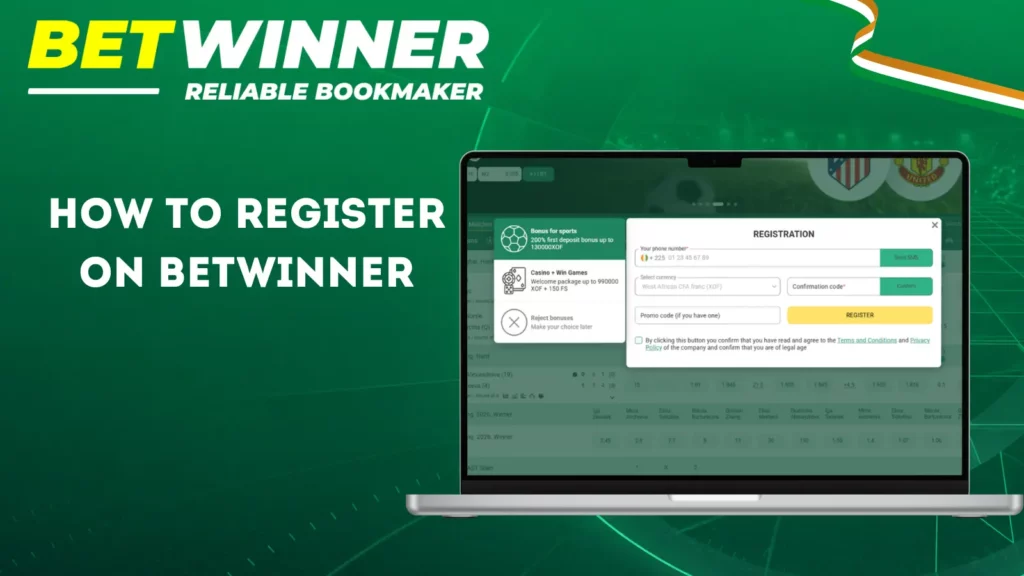
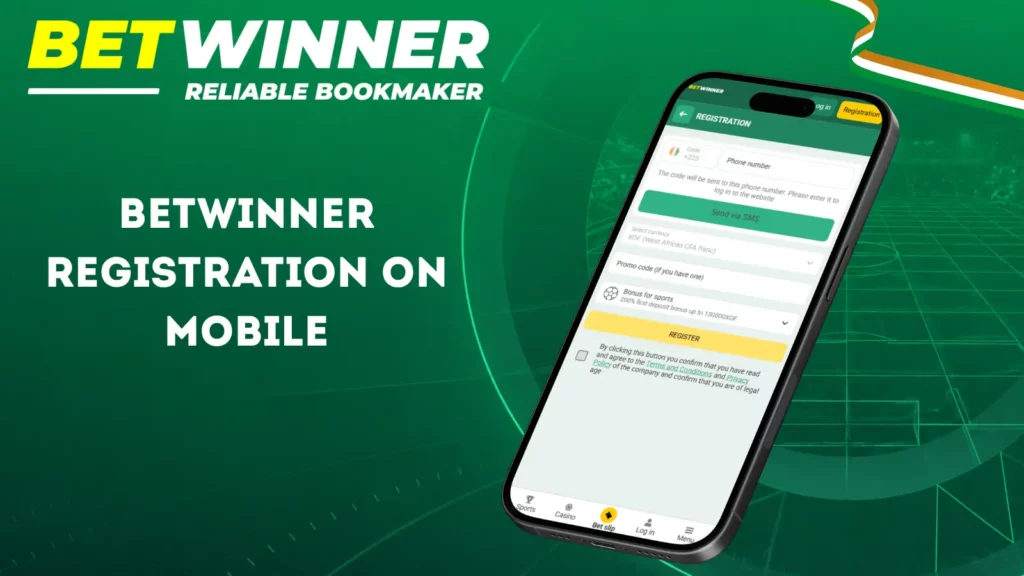
Open the registration form on the local website or mobile interface. Registration is done exclusively by phone. Use a number that you control and can easily access. The +225 country code and XOF currency are pre-set in the form. Enter the requested information, confirm the SMS code, and follow the instructions to finalize the creation of your account.
-
Click the "Register" button at the top right of the homepage to open the local registration form.
-
Check that the country code (+225) and XOF currency are correctly displayed.
-
Enter your active Ivorian phone number in the +225 format.
-
Request the SMS code and enter it in the confirmation field.
-
Enter a promo code if you have one in the designated field.
-
Create or securely save the login information provided by the form.
-
Review the selected bonus option, accept the terms and conditions, and confirm that you are of the required legal age.
-
Complete your registration and verify your account information before making a deposit.
| Registration requirement | What to provide | Purpose |
|---|---|---|
| Phone number | Active Ivorian number with +225 | Account registration and confirmation |
| SMS confirmation | Code sent to your number | Confirm access to the phone |
| Country and currency | Côte d’Ivoire and XOF | Local account settings |
Phone Registration Requirements
Phone registration is the local account-creation method. Prepare your mobile number, keep the phone nearby to receive the SMS code and check the country and currency before submitting the form.
- Phone Number. Use an active Ivorian mobile number that you control.
- SMS Confirmation. Enter the code received on that number.
- Account details. Check that Ivory Coast and the XOF currency are correctly pre-selected, then fill in all the requested information.
| Stage | What to do | Confirmation | Important check |
|---|---|---|---|
| Phone entry | Enter your Ivorian number | Check +225 formatting | Number belongs to you |
| SMS confirmation | Enter the received code | Follow the form instructions | Use the latest valid code |
| Account creation | Review and submit the form | Accept the applicable terms | Save your login details |
Use the +225 country code for Côte d’Ivoire. Follow the number format requested by the registration field and avoid repeating the country code if it is already selected.
Prepare Your Phone Number
Use a phone number that remains accessible after registration. You will need it to receive the confirmation message and may need it again for account recovery or security checks.
- Check that Ivory Coast is correctly pre-selected in the registration form.
- Check that XOF is set as the local account currency.
- Enter your phone number carefully.
- Check that the phone can receive SMS messages.
- Request the code and follow the confirmation instructions.
Registration by Phone Number
Phone registration allows you to link the account to your Ivorian mobile number. Check that Ivory Coast is pre-selected, enter your number, request the SMS code, and enter it in the registration form. If the code does not arrive, wait and use the resend option before requesting a new message.
Required items
Tick what is ready before opening the form.
Everything is ready: you can open the registration form.
Complete Your Account Profile
After registering by phone, complete the profile fields requested in your account. Use accurate personal information that matches your identity documents. Profile completion supports later identity and payment-ownership checks.
- Enter your legal name where requested.
- Provide your date of birth where requested.
- Check your country and address information.
- Review any additional contact fields shown in the profile.
- Keep your registered phone number accessible.
- Check account currency and security settings.
Use details that match your identity documents and payment wallet. Betwinner may request identity, address or payment-ownership evidence when reviewing your account. Provide the documents specifically requested for your case.
Upload clear, readable document images through the verification channel specified for your account. Follow the displayed file-format and size requirements. Do not send documents to unrelated contacts.
How to Create a Betwinner Account
Create your account by phone, confirm the SMS code and check your profile before making a deposit. Keep your login details secure and review the payment and bonus conditions shown for your account.
-
Confirm your registered phone number with the SMS code.
-
Complete the profile information requested in your account.
-
Use a unique password and keep your login details private.
-
Review the cashier and select an available payment method.
-
Read the active bonus conditions before selecting any offer.
-
Make the first deposit only after verifying currency and payment details.
| Local payment method | Deposit processing | Betwinner deposit fee |
|---|---|---|
| Orange Money | Reported as instant after approval | 0% reported; confirm in cashier |
| MTN Mobile Money | Reported as instant after approval | 0% reported; confirm in cashier |
| Wave and Moov Money | Reported as instant after approval | 0% reported; confirm in cashier |
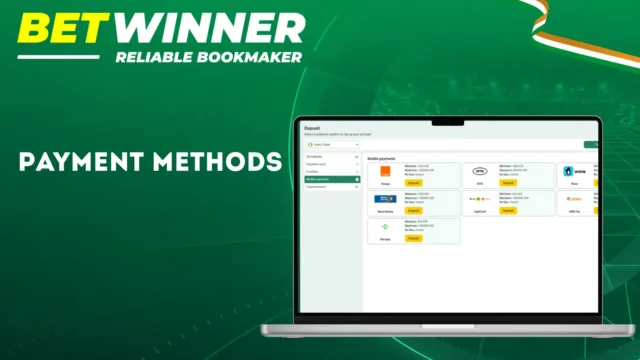
Local mobile-money options include Orange Money, MTN Mobile Money, Wave and Moov Money. A minimum deposit of 1000 XOF is reported for these methods. Confirm the current limits and any fees in the cashier before paying. Deposits can be delayed by provider processing.
Betwinner Sign Up Bonus
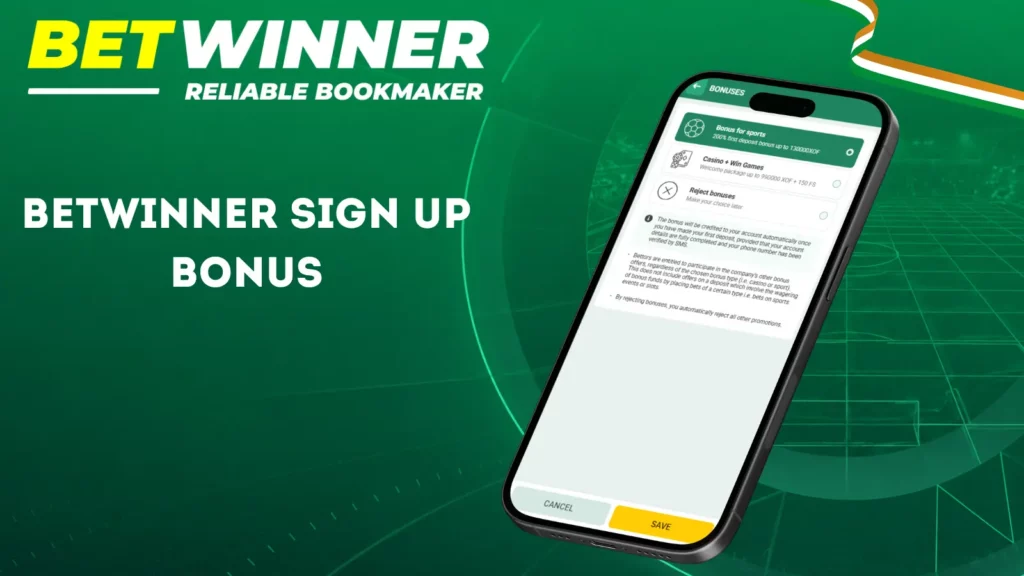
The registration form offers sports and Casino + Win Games bonus options, as well as an option to decline a bonus. Review the offer shown for your XOF account before choosing. Enter a promo code only if it belongs to an active campaign for which you are eligible.
Check these welcome bonus conditions before depositing:
- Minimum qualifying deposit.
- Maximum credited bonus.
- Wagering requirement.
- Minimum qualifying odds.
- Eligible bet types or games.
- Bonus expiry period.
The selected promotion determines the qualifying deposit, bonus cap, wagering requirement, eligible bets or games and expiry period. Confirm how the deadline is calculated and whether bonus participation must be enabled before depositing.
A bonus balance may have wagering conditions before it can be withdrawn. Read the active promotion’s rules and exclusions, and check whether a deposit qualifies before authorising payment.
How to Log In to Your Betwinner Account
Click the “Log in” button at the top right of the site or open the Android app. Enter your phone number after the already displayed +225 country code, then enter your password in the dedicated field and confirm the requested information.
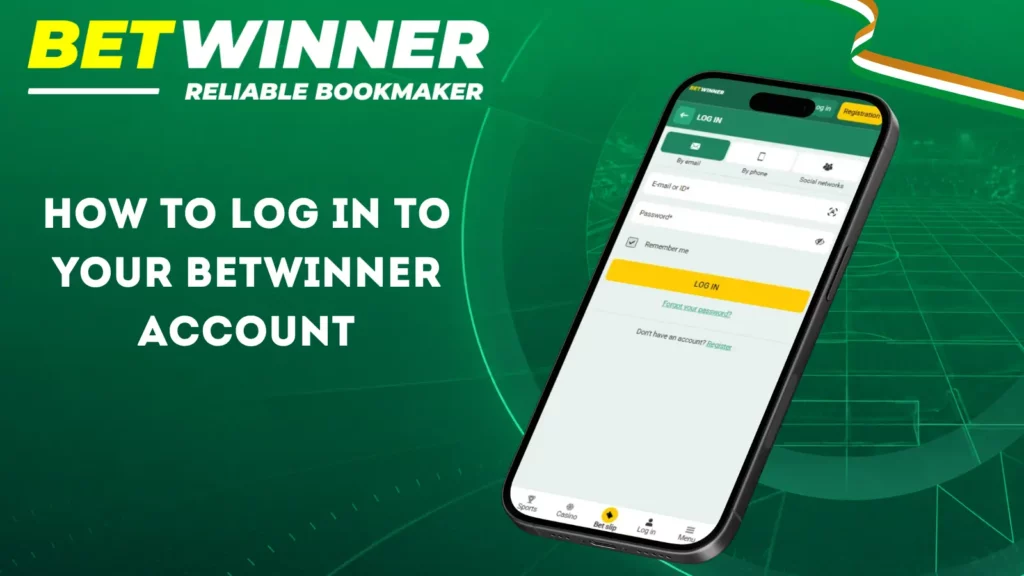
- Use a unique password for your account.
- Check “Remember me” if you are using a personal device.
- Use the “Forgot password?” link to recover access if necessary.
- Avoid saving your credentials on shared devices.
- Avoid any financial activity on an unsecured public Wi-Fi network.
- Lock the phone using biometric authentication or at the device level.
| Feature | Website | Mobile App |
|---|---|---|
| Login Method | Phone number (+225) | Phone number (+225) |
| Password Field | Yes | Yes |
| “Remember me” Option | Yes | Yes |
| Password Recovery | Via “Forgot password?” | Via “Forgot password?” |
Use an updated browser. If login fails repeatedly, check your credentials, reopen the website or clear stale site data. Android users should obtain app updates from the official download interface.
Betwinner Account Verification
Account verification confirms identity and payment ownership. Checks may be requested before a withdrawal or during an account review. Provide the identity document and any additional evidence requested for your account. Your personal details should match your documents and mobile-money wallet.
Prepare the evidence requested for your account:
- A valid national identity document, if accepted.
- A valid passport, if accepted.
- Proof of address when requested.
- A selfie with identification when requested.
- Payment ownership evidence when required.
Prepare document photographs correctly:
- Use neutral, bright lighting.
- Keep every document edge visible.
- Avoid reflections and blurred characters.
- Never alter or digitally edit the document.
- Submit through the verification channel specified for your account.
Follow the file-format and size requirements displayed for document submission. Verification time depends on the review and whether additional evidence is needed. Do not assume a fixed completion deadline.
Betwinner Login Issues
Access problems can involve incorrect credentials, missing SMS messages, expired confirmation codes or account restrictions. Use the recovery options displayed for your phone-registered account. Contact support if you cannot access the registered number or complete recovery.
- Forgotten password: open password recovery and follow the available account-recovery instructions.
- SMS absent: verify +225 formatting, mobile signal, and the resend timer.
- Expired code: request a new code instead of reusing the old one.
- Browser error: remove stale cookies and reload the login page.
- Confirmation failure: use the latest valid code and follow the displayed instructions.
- Locked account: stop repeated attempts and contact official support.
| Problem | Immediate action | Resolution |
|---|---|---|
| Forgotten password | Use recovery form | After valid verification |
| Missing SMS | Check number and resend timer | Depends on mobile network |
| Stale session | Clear site data | Retry after clearing stale site data |
| Account restriction | Contact support | Depends on account review |
Keep your registered phone number accessible for recovery. If the recovery form cannot confirm your account or you no longer control the number, contact support and complete the ownership checks requested.
Betwinner Account Management
Account settings let you review profile information, security and payment activity. Use the controls displayed for your account to manage communication preferences. Contact support about corrections to personal details, gambling limits or closure requests.
Users can:
- Update permitted profile information.
- Manage account-security settings.
- Review deposits and withdrawals.
- Configure permitted notifications.
- Review available responsible-gambling controls or contact support.
- Contact support to request account closure or self-exclusion.
| Setting | Practical starting choice |
|---|---|
| Security notifications | Keep enabled |
| Account currency | XOF for the local account |
| Deposit limit | Use available controls or ask support |
| Promotional messages | Configure by preference |
| Persistent login | Disable on shared devices |
Review any available spending controls before depositing. Contact support if you need help setting limits, closing your account or requesting self-exclusion. Ask how pending bets and any remaining balance will be handled under the applicable rules.
Betwinner Registration on Mobile
On mobile, click the “Register” button: the +225 country code and XOF currency are pre-set, simply enter your Ivorian number and confirm the received SMS code. Android users can download the app from the official website to access the same procedure. iPhone users register directly via the mobile website.
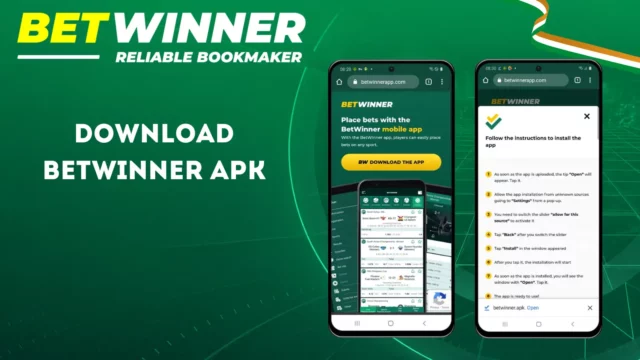
Download the Android app only through the official website and follow the installation instructions. iPhone users can use the mobile website and optionally add a Safari Home Screen shortcut. A shortcut opens the website and does not install a separate app.
- Open the official mobile download page.
- Download the APK from the official source.
- Permit that installation only when Android requests it.
- Install and open the application.
- Open Registration and complete phone registration with SMS confirmation.
Betwinner Customer Support
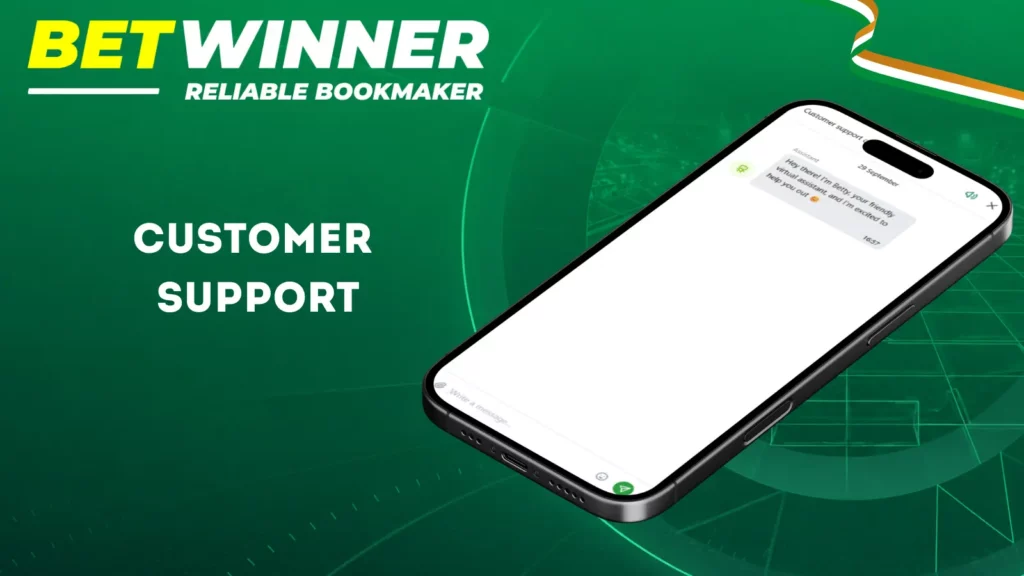
Customer support assists with registration, login, verification and payment issues. The local service provides an online consultant, email contact options and telephone support at +2252722468940. Support is described as available around the clock.
Before contacting support:
- Prepare the account ID.
- Describe the exact error.
- Include the transaction ID for payment cases.
- Attach relevant screenshots without exposing passwords.
- Describe the device and interface where the error occurs.
| Channel | Access | Use case |
|---|---|---|
| Live Chat | Customer support chat on the site | Quick questions regarding login or account |
| [email protected], [email protected], [email protected], [email protected], [email protected] | Detailed requests regarding account, verification, security, or finances | |
| Phone | +2252722468940 | Customer support for local accounts |
| Social Networks | “betwinner” account on Instagram, Facebook, Telegram, and X | General information and news |
Use the contacts listed in the official interface. Include your account or transaction reference when relevant, but never send your password or SMS confirmation codes. Support response times depend on the issue and account review.
FAQ
How Do I Sign Up for Betwinner in Ivory Coast?
Open the registration form: Ivory Coast (+225) and XOF are pre-set. Enter your active number, confirm the SMS code, accept the terms and conditions, and save your credentials.
Is Betwinner Registration Free?
Creating an account does not require a registration fee. A deposit is separate and is only needed before using real-money betting or gaming products.
What Information Is Required to Create a Betwinner Account?
An active Ivorian mobile number and SMS confirmation. The country and XOF are pre-set. Complete your profile fields and provide an ID if verification is required.
Can I Register with a Phone Number?
Yes. Phone registration is the local registration method. Enter your number in the requested +225 format and confirm the SMS code sent to it.
How Do I Log In to My Betwinner Account?
Click the green “Log in” button at the top right of the site, enter your phone number after the +225 country code, then enter your password and validate.
What Should I Do If I Cannot Access My Betwinner Account?
Check your credentials and use the displayed recovery process. Confirm that you can receive SMS messages on the registered number. If access remains blocked or the number is unavailable, contact the online consultant or call +2252722468940.